Data feed description
Assistance in creating the product catalog through XML Google Shopping file
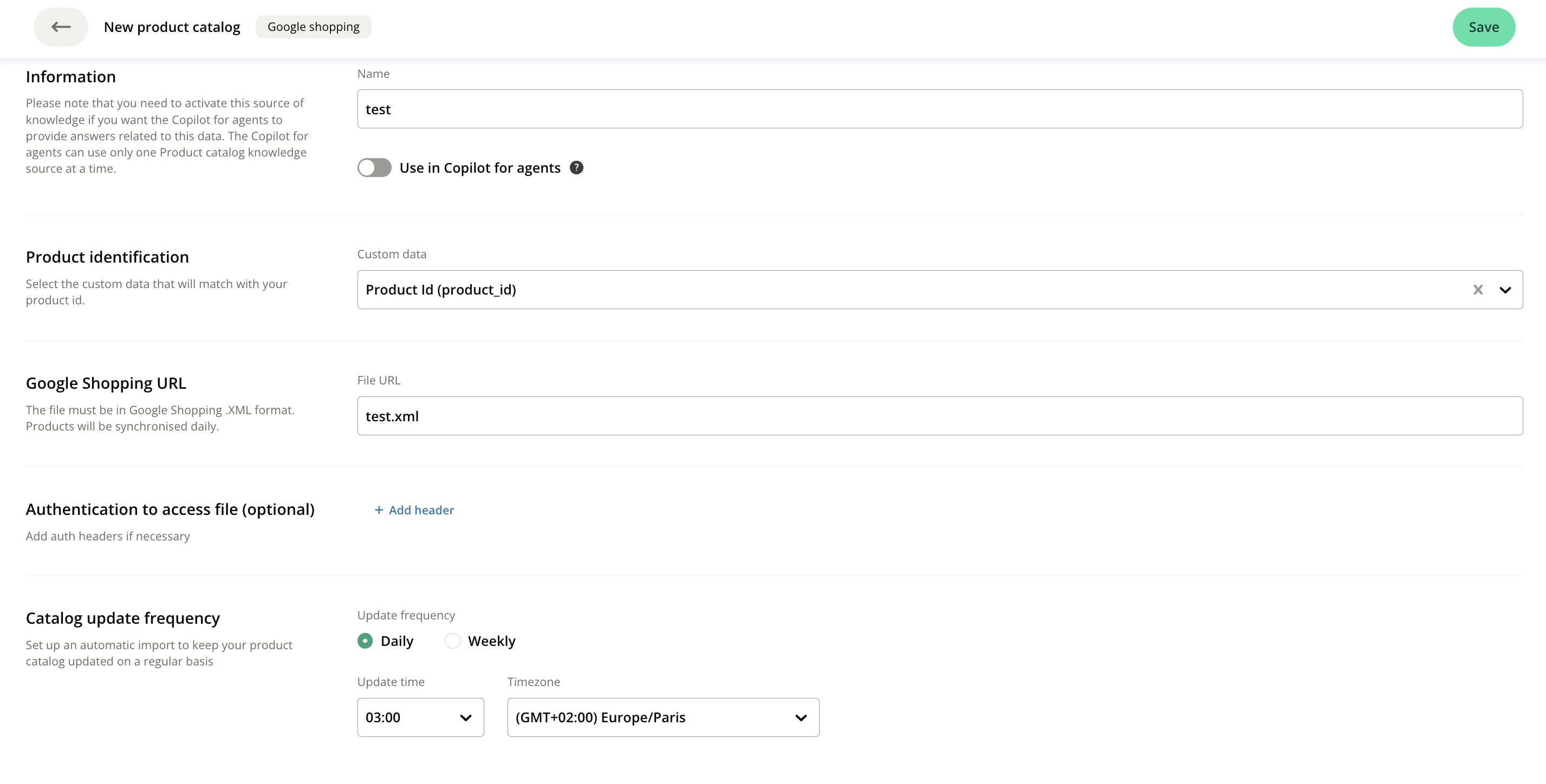
Provide the following information to configure your Google Shopping knowledge source:
-
Knowledge Name: Give a clear and descriptive name to easily identify the source.
-
Custom Data: Indicate the custom data used for the Product ID on the product page.
-
XML File URL: Provide the URL where the XML file is hosted on the internet.
-
Headers : If the file access is secured, you can also specify the headers (credentials) needed to authenticate the request.
-
Update frequency :
- Select the desired frequency (Daily or Weekly)
- Set the update time and the time zone.
- Click Save at the top right of the screen
By default, the update runs daily at 03:00, in your account's time zone.
Check the quality of your catalog
iAdvize checks the required fields and the strongly recommended fields of your catalog. Other fields you mapped are imported but not included in this check.
- Required fields (*):
id, title, description, link
- Strongly recommended fields:
image_link, price, availability
The result appears below the URL as a grid:
-
Completion rate: share of the products in your file whose field holds a usable value. For
link and image_link, the value must be a valid URL; for price, a price; for availability, one of the recognised statuses. An unrecognised value lowers the rate, just like an empty cell. Each field must reach a threshold: 100% for id, since every product needs an identifier, and 70% for the other fields.
-
Impact on testing: for a field below its threshold, the consequence on your Assistant's answers. A dash means the field reaches its threshold.
If at least one field is below its threshold, an alert message is displayed. The higher the completion rate, the more information your Assistant has to answer your visitors' questions.
NB If the check does not complete, for example on a catalog that is too large, the grid does not appear: a message reminds you which fields are required.
Error management
The file must strictly adhere to the Google Shopping XML format to be correctly interpreted.
If the file is not publicly accessible, use the headers to provide the necessary authentication information to ensure secure access.
⚠ Product indexation limit
Each product detail field is limited to 2,000 characters. Beyond that, the content is truncated but the product remains indexed.
The total volume of product information (standard fields + product detail fields) is limited to 32,000 characters. Beyond that, the product is not indexed.
2 or 3 product detail fields filled to 2,000 characters are no issue. With 20 fields, you exceed the 32,000-character limit and the product is no longer indexed. Therefore, limit the number of large product detail fields.